Apple News, Stocks, and other apps
In Apple News, open More → Share Story. In Stocks, tap Share. Choose Creata Listen. If a story link cannot be opened, share its text or a screenshot instead; photo text is recognized on your iPhone.
 Creata Listen
For iPhone and Safari
Hear articles from Apple News, Stocks, Safari, and other apps. Choose a free voice on your iPhone, then keep listening with the screen locked or save the audio for later.
Free Apple voices. Free offline Creata Voice. No account needed to start.
Bring the story
Start from the app, Safari, or the share button in the app where you found the story.
In Apple News, open More → Share Story. In Stocks, tap Share. Choose Creata Listen. If a story link cannot be opened, share its text or a screenshot instead; photo text is recognized on your iPhone.
Enable the Creata Listen extension and start the floating player from the page. Send the article to the app when you want its full reader.
Paste a web address or text on Home, or share words and screenshots from another app. Follow along as each sentence is read.
Choose how it sounds
Apple voices and Creata Voice run on your iPhone. They do not spend credits, and downloaded Creata Voices work offline.
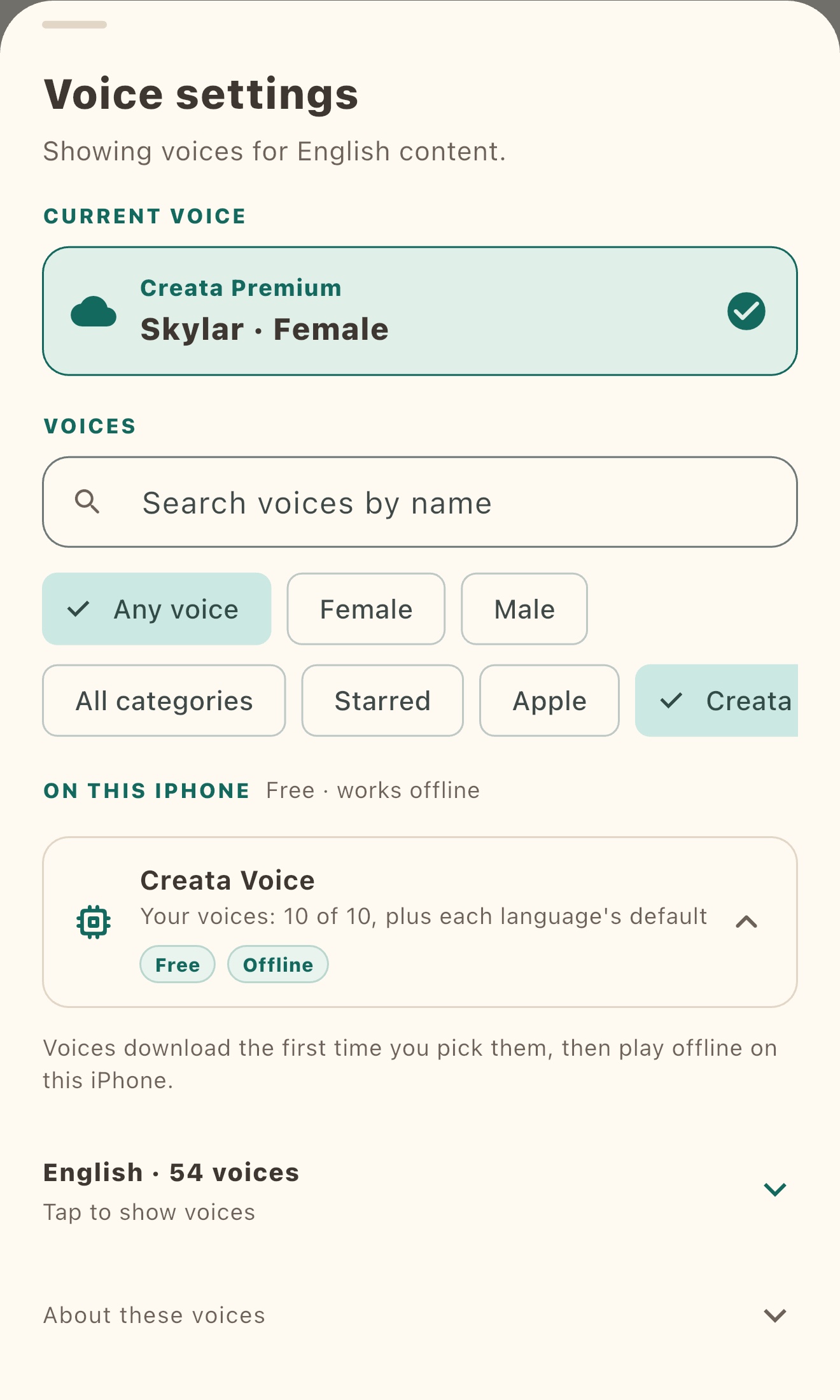
Free includes each language’s default Creata Voice plus 10 of your choice. Plus removes that choice limit when available. The voice picker shows the voices available for your iPhone and the article’s language.
Browse the voices available on your device. Search by name, filter by voice type, and preview a sample before choosing. Apple’s list varies by iOS version and installed voice downloads.
Take it with you
Open an article, choose Listen it later, select a downloaded Creata Voice, and tap Start. Creata Listen makes the audio on your iPhone and saves it there for offline playback.
Generation can continue in the background when iOS allows it. Find saved audio from Home → Listen later.
A shorter way through a long read
Plus can turn a long article into a shorter version for listening. On-device voices stay free; cloud voices and AI translation use credits. Plus adds a larger monthly credit allowance, $4.99 per month or $39.00 per year in the US (prices vary by country), billed through your Apple ID and renewing until you cancel in Settings. One-time credit packs are also available.
A few useful details
Yes, when the story can be shared. Use the iPhone share button and choose Creata Listen. If the story will not open from its link, share readable text or a screenshot instead. Some publishers limit what an app can access.
Open Settings → Apps → Safari → Extensions → Creata Listen and turn on Allow Extension. On earlier iOS, open Settings → Safari → Extensions. Then return to Safari, open a page, and tap the extension. Safari asks which pages it can access. See Apple’s guide to Safari extensions.
Apple voices and Creata Voice are free to listen to on device, with no credits used. Free includes each supported language’s default Creata Voice plus 10 voices of your choice. Downloaded Creata Voices play offline; Plus removes the choice limit when available.
Open an article, choose Listen it later, select a downloaded Creata Voice, and tap Start. The audio is made on your iPhone and saved on that device. Open Home → Listen later to play it offline.
On iOS 18 or later, translate supported language pairs on your iPhone for free. Pair availability depends on the iPhone and installed language assets. Cloud AI translation is also available and uses credits.
Apple voices, Creata Voice, photo text recognition, and saved audio run on your iPhone. Fetching a page from its address, sending a page from Safari to the app, or choosing a cloud voice can send page content to Creata or a voice provider. See the privacy notice for details.
No account is needed to start listening with Apple voices or Creata Voice. Sign in with Apple to save your account and use account features such as Plus summaries.
Creata Listen is for iPhone with iOS 17 or later. Creata Voice offers 291 voices across English, Mandarin Chinese, Japanese, Korean, Spanish, French, German, Italian, and Brazilian Portuguese. Free includes each language’s default plus 10 chosen voices; download options and Apple voices vary by device and installed voice assets. See the full voice guide.